


Windows 11 Home Lifetime License
₱1,680.00
✔ Lifetime Product Key
✔ For 1 PC
✔ Perfect for Home & Student Use
✔ Binds to Your Personal Microsoft Account
✔ Reinstallable, Reusable License
✔ Instant Digital Delivery & Support
✔ Lifetime Guarantee
In stock



Receive your genuine license, official download, and setup guide by email within 30 minutes of payment, with 24/7 live chat support.
Windows 11 Home Lifetime License
Lifetime Product Key for 1 PC
Ready for a Fresh, Modern PC Experience?
A genuine Windows 11 Home License is the perfect choice for students, families, and everyday home users in the Philippines. Your purchase includes a Windows 11 Home product key for one PC, with no recurring subscription fee. Experience a beautifully redesigned interface, faster performance, and innovative features that make your daily tasks easier and more enjoyable. This one-time purchase from Product Key PH provides a lifetime license that binds to your personal Microsoft account and supports reinstallation on the same PC, including after reformatting or minor hardware changes.
Key Features & Benefits of a Windows 11 Home License
Enjoy a suite of new and improved features designed for modern productivity and entertainment.
| Feature | Your Benefit |
|---|---|
| Redesigned User Interface | Navigate with ease. The centered Start menu and clean design make your PC feel modern and intuitive. |
| Integrated Microsoft Teams | Connect instantly with friends and family right from your taskbar with high-quality video calls and chat. |
| Widgets for Personalized Content | Get the news, weather, and updates you care about with a single swipe, without being distracted. |
| Snap Layouts for Multitasking | Effortlessly organize your open windows into perfect layouts to maximize your screen space and productivity. |
| Core Windows Security | Browse with confidence. Built-in security features like Microsoft Defender keep your PC safe from threats. |
Who is Windows 11 Home For?
This license is the perfect choice for your day-to-day computing needs:
- Students working on school projects and online learning.
- Families who need a reliable and secure PC for everyone to use.
- Everyday Users for browsing the web, checking email, and social media.
- Content Consumers and Streamers for watching movies, listening to music, and enjoying media.
- Anyone looking for a modern, fast, and easy-to-use operating system for their personal computer.
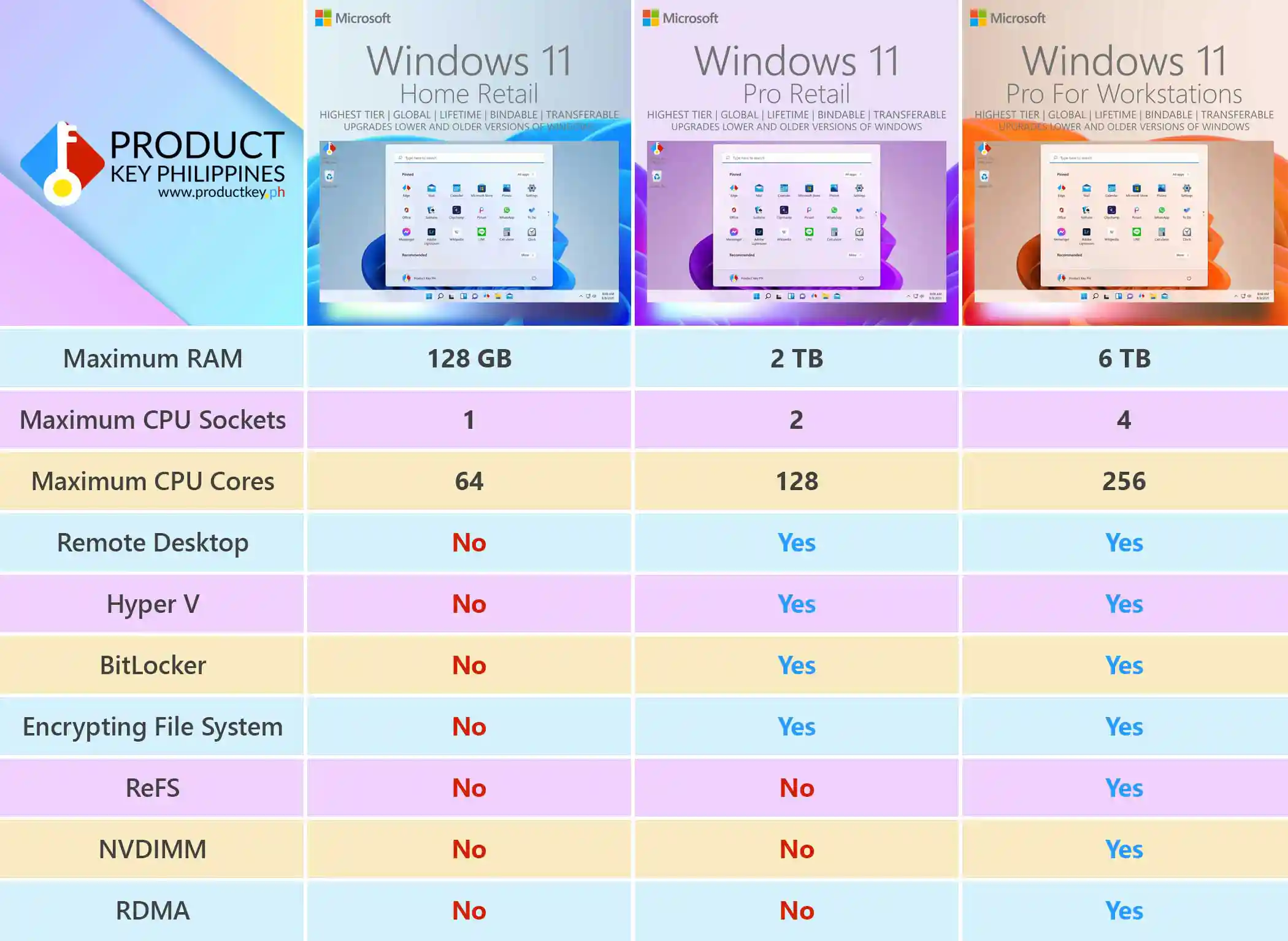
Windows 11 Home vs. Pro vs. Workstations Comparison
Wondering if you need more power? This table clearly shows the features of each version.
| Feature | Windows 11 Home | Windows 11 Pro | Windows 11 Pro for Workstations |
|---|---|---|---|
| Maximum RAM | 128 GB | 2 TB | 6 TB |
| Maximum CPU Sockets | 1 | 2 | 4 |
| Maximum CPU Cores | 64 | 128 | 256 |
| Remote Desktop hosting | No | Yes | Yes |
| Hyper-V Virtualization | No | Yes | Yes |
| BitLocker Drive Encryption | No | Yes | Yes |
| Encrypting File System (EFS) | No | Yes | Yes |
| Resilient File System (ReFS) | No | No | Yes |
| Persistent Memory (NVDIMM) | No | No | Yes |
| Faster File Sharing (RDMA) | No | No | Yes |
!!! Important !!!
A Windows 11 Home product key will not activate Windows 11 Pro. We will not replace or refund incorrect purchases.
Before purchasing, check your Windows edition under Settings > System > About > Windows specifications. Ensure you are purchasing this key to activate Windows 11 Home.
Save Over 81% on Your Windows 11 Home License
A genuine Windows 11 Home license costs about ₱9,000. Here at Product Key Philippines, the exact same genuine lifetime license is available for just ₱1,680. You save over 81%!
Software Lifetime Guarantee
Your license is guaranteed until the software’s lifecycle ends. If it stops working before then, we’ll replace it for free!
This License Binds to Your Microsoft Account
Enjoy a genuine Windows 11 Home lifetime license that binds to your personal Microsoft account, with no recurring subscription fee. Reinstall and reactivate Windows on the same PC after reformatting or minor hardware upgrades.
Moving your license to another PC?
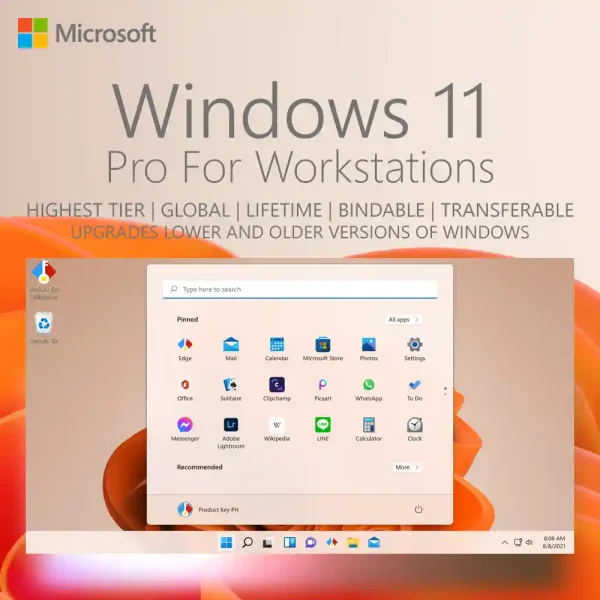
For the freedom to switch PCs without buying another Windows license, choose Windows 11 Pro for Workstations Retail. Enjoy advanced features and a transferable lifetime license that can move to another compatible computer. One PC at a time.
Explore the benefits of account linking or get help through our 24/7 live chat support.
How to Use Your Windows 11 Home Product Key
- Check Your Email: Immediately after purchase, you will receive an email with your genuine product key and the official Microsoft download link.
- Windows 11 Home is already installed? Go to Settings > System > Activation > Change product key, enter your key, and follow the prompts to activate.
- Need to install Windows 11 Home? Back up your files first. A clean installation removes files, apps, and settings from the Windows installation drive. Install Windows 11 Home using the official download link and enter your product key when prompted during Setup.
For detailed instructions with screenshots, see our Windows 11 installation guide.
Product Specifications
- License Type: Lifetime
- Architecture: 64-bit
- Device Count: For 1 PC
- Account Binding: Binds to your personal Microsoft account
- Reinstallation & Reuse: Supported on the same PC after reformatting or minor hardware changes
System Requirements
- Processor: 1 GHz or faster with 2 or more cores on a compatible 64-bit processor
- RAM: 4 GB or more
- Storage: 64 GB or larger storage device
- System Firmware: UEFI, Secure Boot capable
- TPM: Trusted Platform Module (TPM) version 2.0
- Graphics Card: Compatible with DirectX 12 or later with WDDM 2.0 driver
Frequently Asked Questions (FAQ)
- Is this a lifetime license? Yes. This is a one-time purchase for a lifetime Windows 11 Home license, with no recurring subscription fee.
- Can I reinstall Windows after reformatting or upgrading my hardware? Yes. You can reinstall Windows 11 Home after reformatting and continue using your license after upgrading components such as RAM, an SSD or hard drive, a graphics card, or a compatible processor, while keeping the same motherboard. Linking your digital license to your Microsoft account helps with reactivation, and our 24/7 support team is available to assist.
- Can I transfer this license to another PC or replace the motherboard? This Windows 11 Home license cannot be transferred to another PC. Replacing the motherboard generally requires a new license. You can reinstall Windows and upgrade components such as RAM, storage, or a graphics card while keeping the same motherboard. For the freedom to switch PCs without buying another Windows license, choose Windows 11 Pro for Workstations Retail. Enjoy advanced features and a transferable lifetime license that can move to another compatible computer. One PC at a time.
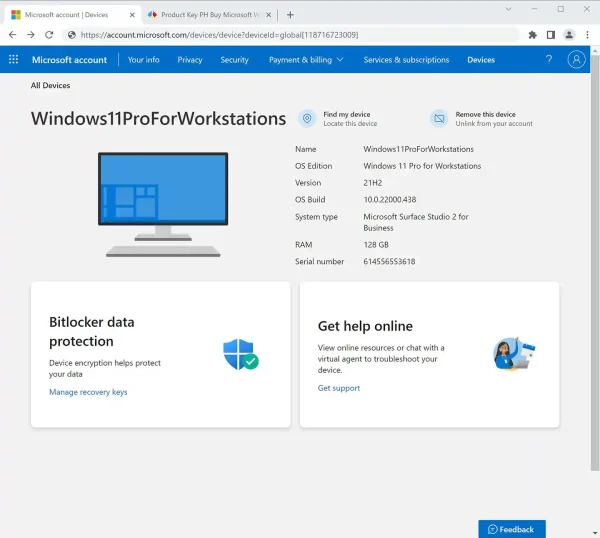
- Is this license genuine? How can I verify it? Yes, it is 100% genuine. You can verify this after activating Windows and binding the license to your Microsoft account by visiting account.microsoft.com/devices. Because this is a genuine license recognized by Microsoft, your device will appear on your Microsoft Devices dashboard, giving you access to powerful online device management tools such as Find my device, remote lock, and remote data wipe. This is the ultimate proof of authenticity.
- Why is this so much cheaper? Is it really genuine? Think of it like group buying discount. A single purchase directly from Microsoft is expensive because it’s sold one-by-one. We work within enterprise partner frameworks to acquire genuine access in bulk, and we pass those huge savings on to you. You get the exact same authentic product, just delivered more efficiently and affordably.
Product Key Philippines only sells software licenses of European origin legally usable on all countries and territories without region restrictions. We are protected by law to sell this product and your purchase is protected and recognized by law under Article 4(2) of EU Directive 2009/24/EC and section 177.3 of the Intellectual Property Code Of The Philippines. We are a fully registered business entity accredited by the Department of Trade and Industry (DTI), Bureau of Internal Revenue (BIR), and the Local Government of Quezon City.
124 reviews for Windows 11 Home Lifetime License
You must be logged in to post a review.

Email Delivery
You will receive your genuine license, official download link and official installation instructions via email within 5 to 30 minutes 24/7 after sending us the proof of payment.
If a physical sales invoice was requested with your completed purchase, it will be shipped the next day. It will arrive within 2-3 days for Metro Manila addresses and 3-5 days for addresses outside Metro Manila.








alleviant07 (verified owner) –
Very much recommended. Fast transaction and good customer service.
bartleby (verified owner) –
My friend recommended Product Key PH for original software license at a good price. And they deliver! Their service is fast and will give you constant updates regarding your order. Will purchase from them again!
Alexander Araojo (verified owner) –
Quick transaction.
reylabrador21 –
Legit fast and reliable I always love their Service since they send the software immediately as soon as payment is confirmed.