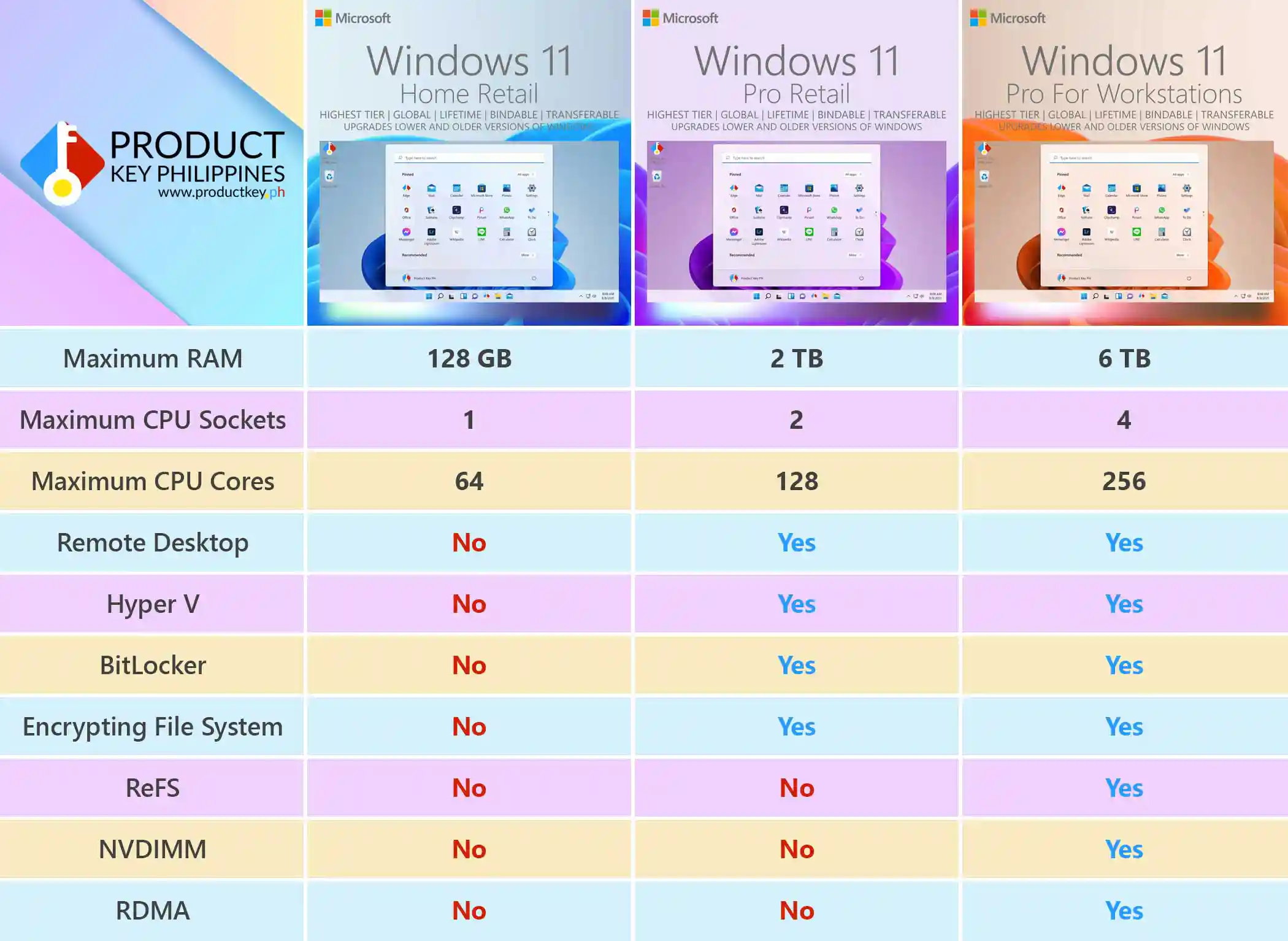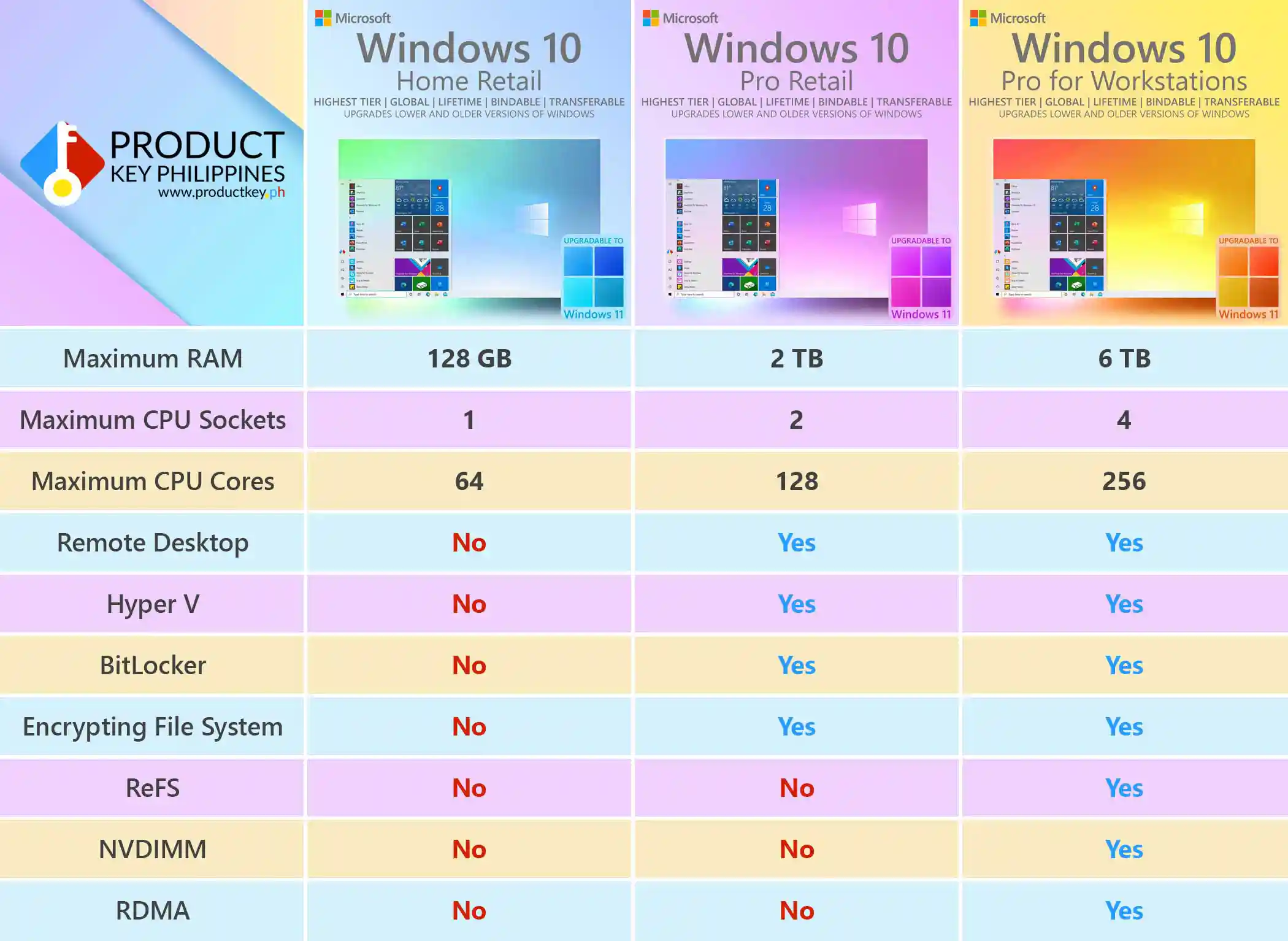
The Full Benefits of Using The Highest Tier Windows Retail License.
You may come across different types of Windows product keys online, including Retail, OEM, and MAK licenses. Each license type serves a different purpose, and the best option depends on your device, budget, and usage needs. What matters most is that the key is genuine, properly sourced, and activated using official installation methods.
OEM keys are ideal for users who need Windows activation for one specific device. MAK keys are commonly used for volume activation, especially for business, organization, school, or IT deployment environments. Retail keys are often preferred by users who want more flexibility for reinstallations, upgrades, or future device changes.
At Product Key Philippines, we focus on providing genuine software keys with official download links, clear installation guides, instant digital delivery, and reliable customer support. Whether you choose Retail, OEM, or MAK, our goal is to help you activate your software properly, safely, and with confidence.
To check your Windows activation details, open Command Prompt and type slmgr -dlv. This command shows important license information, including the Activation ID, Application ID, Installation ID, Product Key Channel, activation status, and related activation details.
The License Status should show as Licensed, which means Windows is currently activated. The Product Key Channel may display different values depending on the license type, such as Retail, OEM, or Volume/MAK. These channels simply indicate the type of activation used and should be interpreted based on the license you purchased.
To check whether your Windows activation is permanent or time-limited, open Command Prompt and type slmgr -xpr. This command will show whether Windows is permanently activated or if the activation has an expiration date.
If your activation result shows a grace period, notification status, expiration notice, or any unclear information, contact your seller for proper guidance. A trusted seller should be able to explain the license type, activation status, and the correct installation or activation steps for your product.
Wondering which version of Windows 11 is best for you? Click here for a quick comparison of all the retail versions of Windows 11: Home, Professional and Pro for Workstations.
When you purchase from Product Key Philippines, you get more than just a product key. We provide genuine software keys, official download links, clear installation guides, instant digital delivery, and trusted customer support to help you activate your software properly and confidently.
We offer different license types, including Retail, OEM, and MAK keys, depending on customer needs. Retail keys are often chosen for flexibility, OEM keys are commonly used for one-device activation, and MAK keys are typically used for volume or business deployment. Each license type serves a different purpose, and our goal is to help you choose the right one.
1. Official activation
Genuine Windows keys activate through Microsoft’s official activation system, giving users a cleaner, safer, and more reliable installation experience compared to modified or unofficial installers.
2. Proper installation guidance
We provide official download links and clear installation guides so customers can install Windows correctly. This helps avoid common problems caused by unofficial ISO files, modified installers, or incorrect activation steps.
3. License options for different needs
Whether you need a flexible Retail license, a cost-effective OEM key for one PC, or a MAK key for volume activation, Product Key Philippines helps match the right license type to your intended use.
4. Account and device features
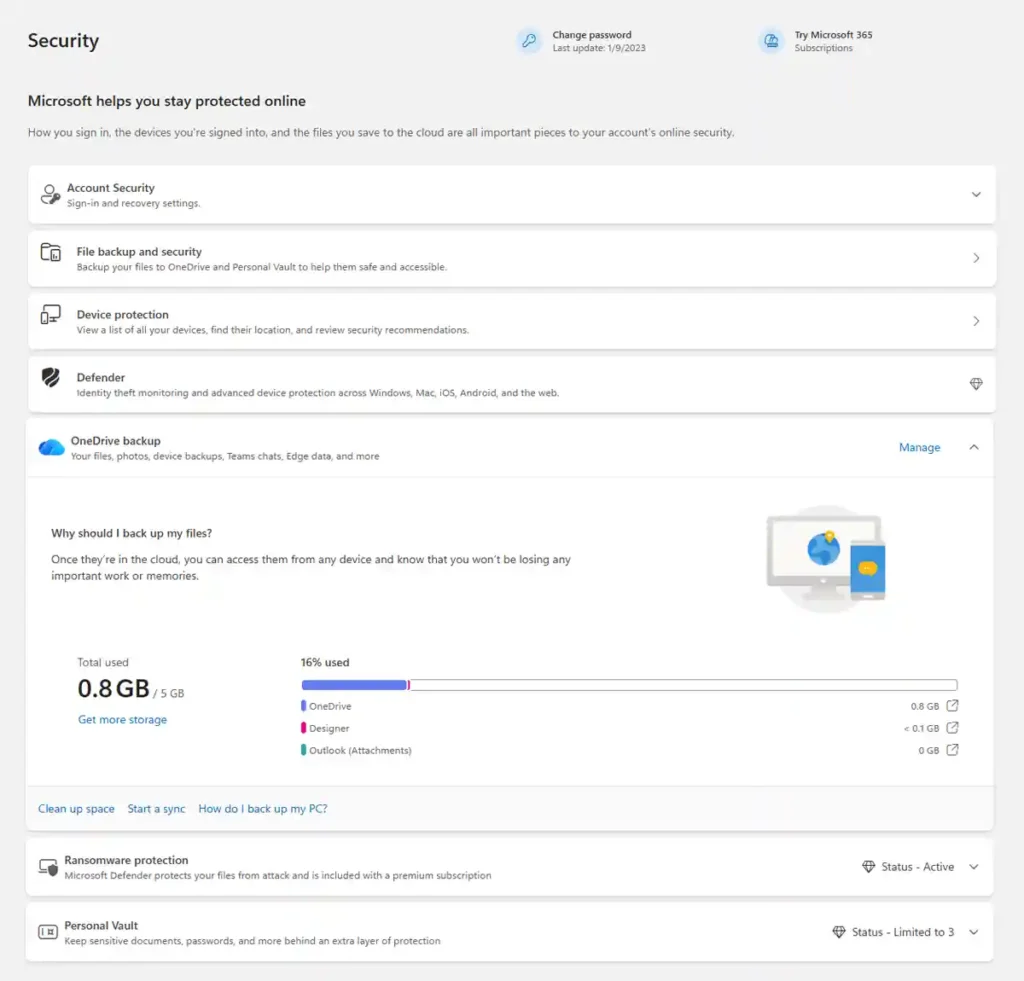
Windows users may access Microsoft account-based features such as device management, security monitoring, and linked device settings through Microsoft’s online tools, depending on their Windows edition, device setup, and account configuration.
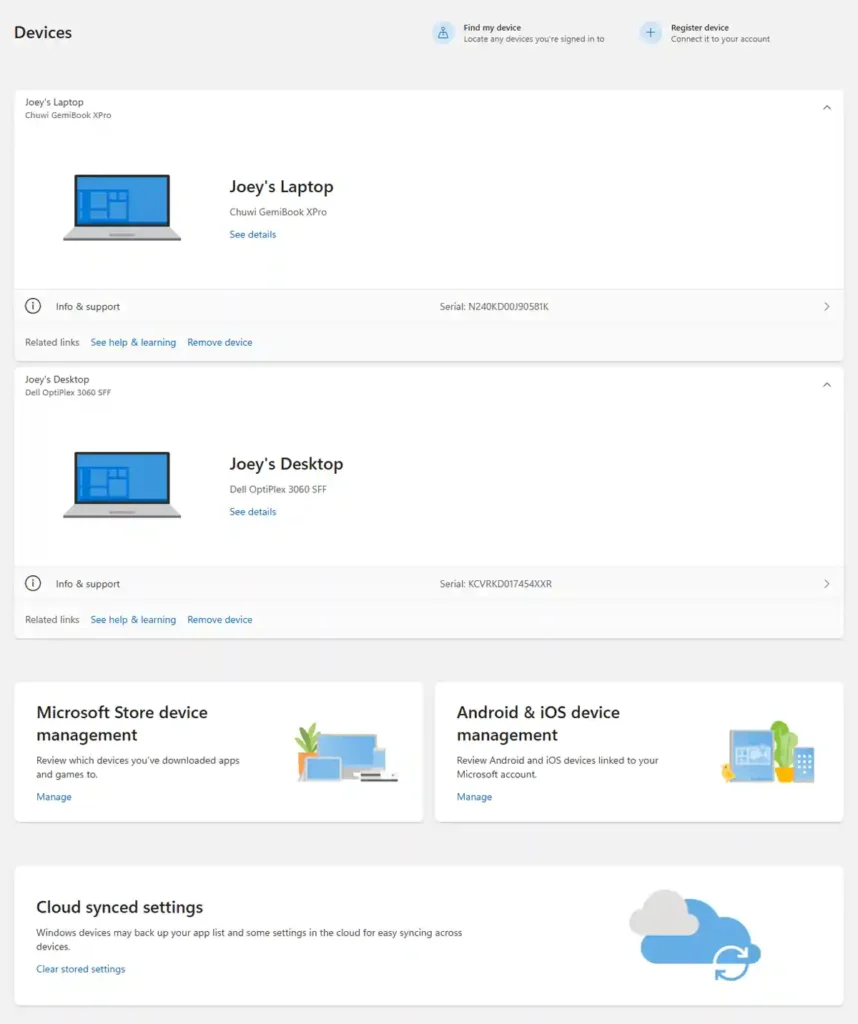
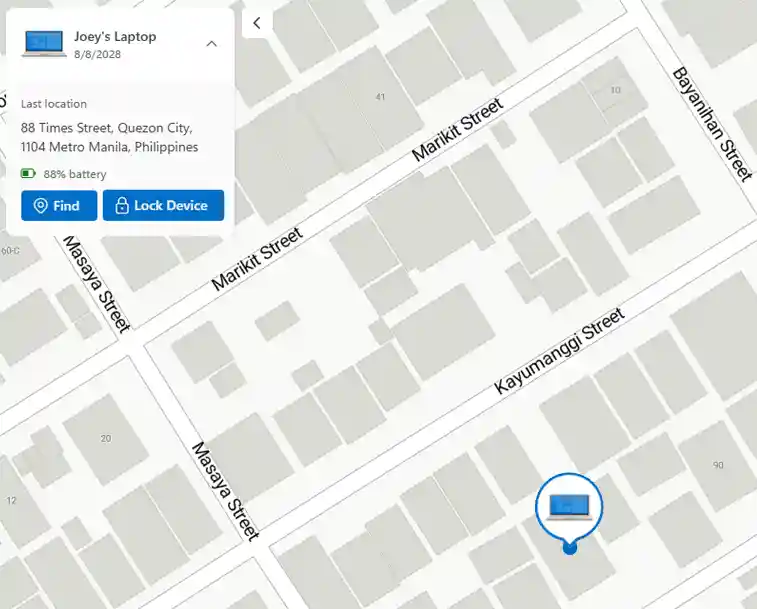
5. Find your devices – Tablet PCs are small enough to get easily misplaced, lost or even stolen. In the Philippines, stolen laptops and tablet PCs have a very lucrative market. One useful feature of owning the highest tier retail key for Windows is the ability to find the exact location of your device. This is just one of the many security features of the Windows online control panel.
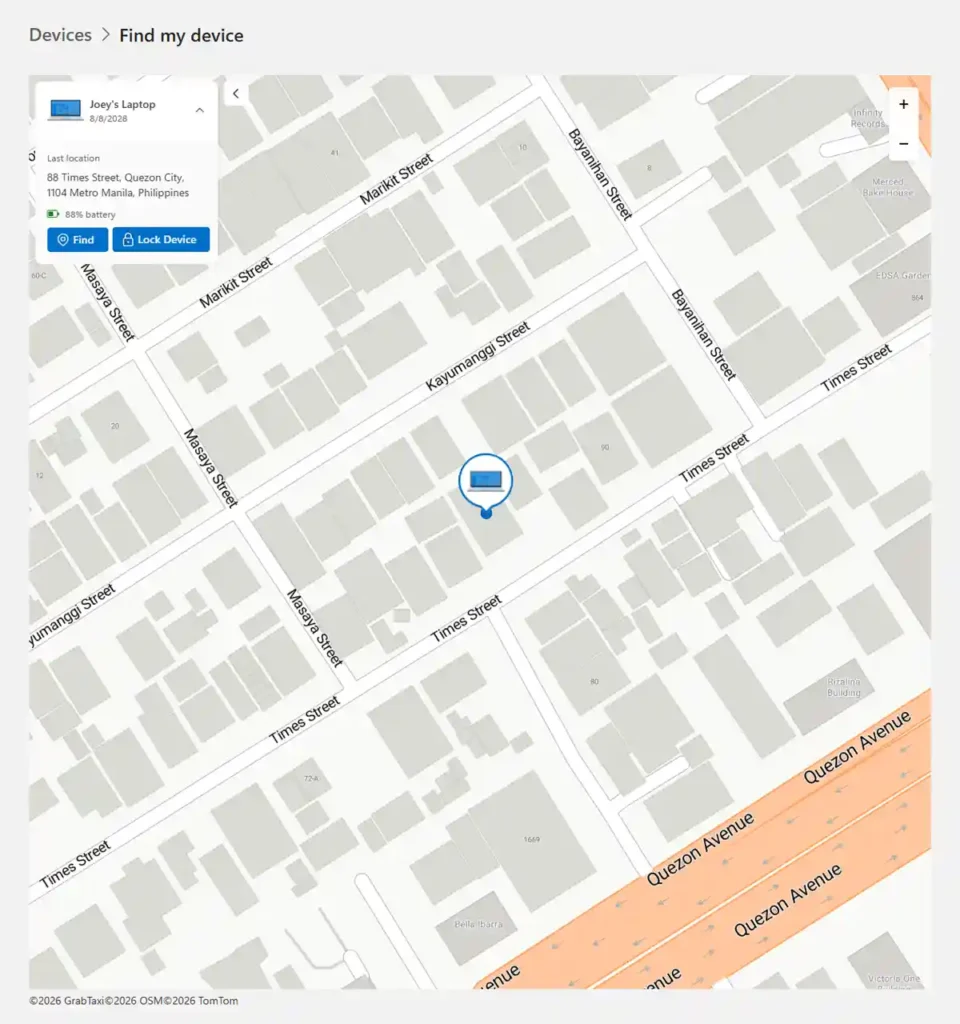
6. Remotely lock your PC – Your online control panel will also allow you to remotely lock your PC. This will prevent any unauthorized access by disabling the operating system itself and will only show your preferred lock screen message such as your name and contact details for the other party to get in touch.
7. Keep your devices secured – You will be notified of any security issues involving all your linked devices and Microsoft will give appropriate recommendations. This is to ensure that your devices are secured and running optimally at all times.
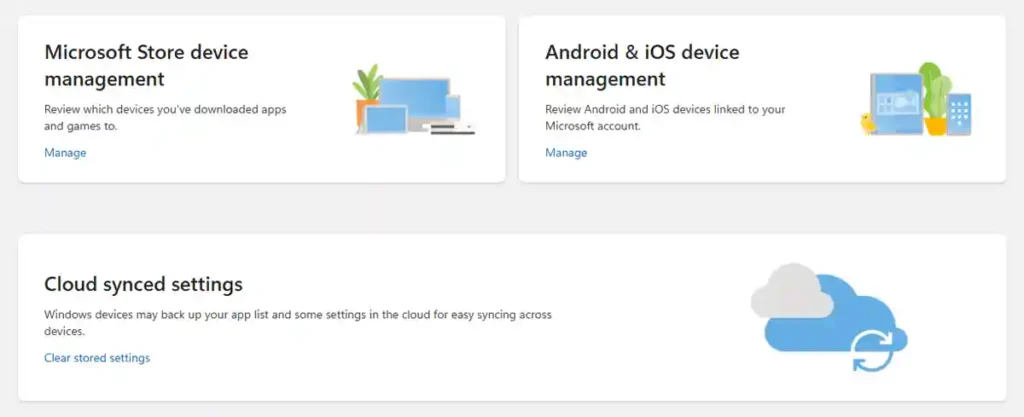
8. And other important features – Store device management allows you to share apps purchased from Microsoft official store on up to 10 other devices. You can also link your Android Phone to your PC to text right from your PC, see all your phone’s notifications and quickly transfer photos. You can even use the Your Phone to mirror your phone’s screen and see it on your PC. Cloud syncing allows you to share your PC settings across all devices you manage.
Using genuine retail license allows you to enjoy your device optimally by ensuring you get the best support, unbreakable security and useful features for both work and play.